A Houzz Pro alternative for remodelers who run the job, not just sell it.
Looking for Houzz Pro alternatives? Houzz Pro is strong at winning and designing the project: a marketplace profile, 3D floor plans, mood boards and selection boards. Groundflag is built for what happens after the yes: the schedule, the crew in the field, change orders and what the job really costs.
Where Houzz Pro is strong
Houzz Pro turns 2D plans into 3D floor plans, keeps mood boards and selection boards the client approves with one click, clips products from vendor sites, and gives clients a dashboard with the timeline, payments and messages. It also offers homeowner financing and leads from the Houzz marketplace. If design and selections drive your sale, those are real strengths.
Where Groundflag goes further
A crew that speaks Spanish.
Every screen works in English, Spanish and Portuguese, per user, and the foreman dictates the daily log in any of the three; Groundflag drafts it for review and signature.
A schedule that moves.
A Gantt with task dependencies: move one task and the ones after it follow.
The job money, by cost code.
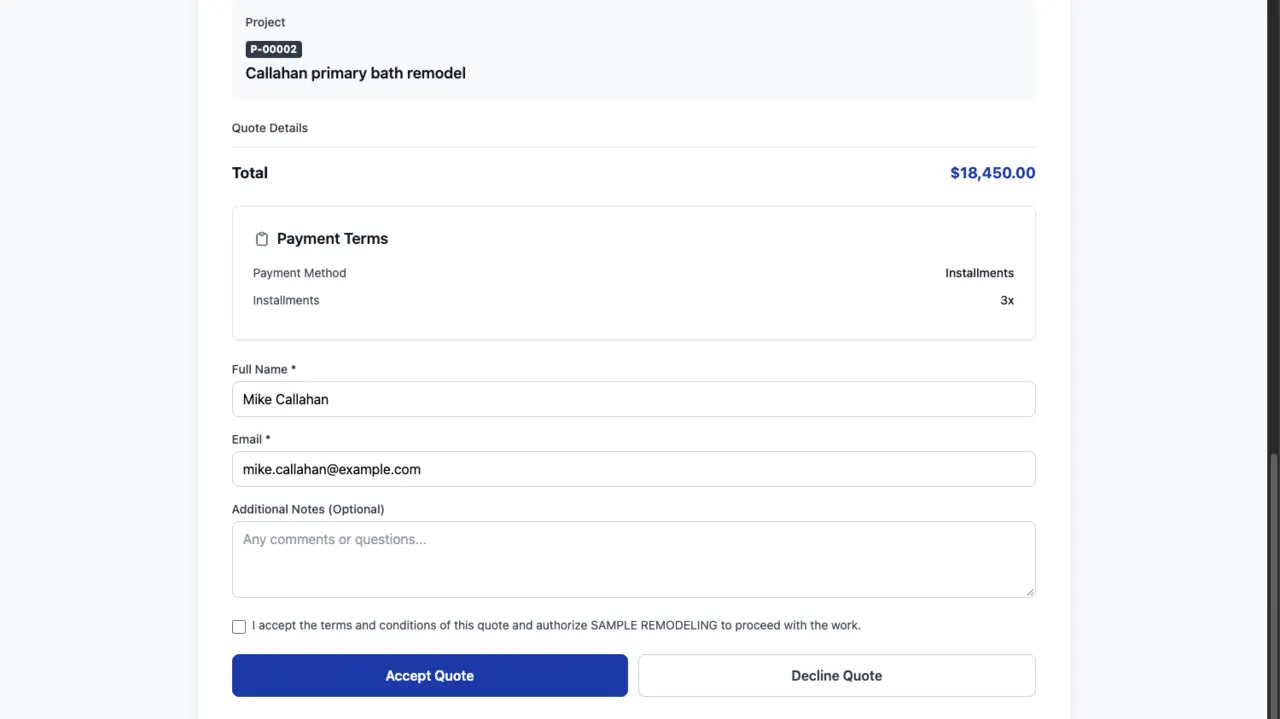
Budget, committed and actual by cost code, purchase orders and subcontracts, change orders the client signs in the portal, and invoices paid by card or ACH.
Time from the field.
The crew clocks in on the phone, and the PM approves the timesheets.
The price on the page.
Every plan is on our pricing page, every user included and month to month. We did not find one public Houzz Pro price list to compare against, so ask Houzz Pro for a quote for your team size.
Know what is not there yet
Groundflag has simple selections against an allowance (options with photos the client picks and signs), but no mood boards or product clipping, no 3D floor plans, no homeowner financing, and no marketplace that sends you leads. Keep your Houzz profile for its leads: forward the Houzz lead e-mails to Groundflag and each one becomes a lead with a job. The native apps are on the App Store (iPhone) and Google Play (Android). If you sell on design and selections, Houzz Pro covers more of that today.
Moving from Houzz Pro to Groundflag
Start with your contacts. In Houzz Pro, open Contacts from the Company menu, set the Type filter to All and the Contacts filter to All Contacts (only the current view is exported), then click Actions and Export Contact List. The file is a CSV. In Groundflag, the owner or an admin opens Settings, Import data, picks Other spreadsheet as the source and Clients as what the file holds; matching columns are mapped for you, you map the rest, and every row is previewed before anything is saved. Projects, estimates, invoices and selections stay in Houzz Pro, so download what you may need later before you cancel.
Ask for help.
Send the file and we map it for you. Write to hello@groundflag.com.
Side by side
| Groundflag | Houzz Pro | |
|---|---|---|
| Selection boards | Selections against an allowance: the client picks one option and signs; overage drafts a change order | Clients approve or decline items with one click |
| 3D floor plans | No | AI turns 2D plans into 3D floor plans |
| Homeowner financing | No | Offered |
| Leads | Your public profile and booking page take requests with photos, and Houzz lead e-mails you forward become leads with a job | Houzz marketplace profile and lead generation |
| Client portal | Estimate approval, signed change orders, card or ACH payments, files and upcoming visits | Timeline, daily updates, selections, payments and messages |
| Daily log | Dictated in English, Spanish or Portuguese, drafted for signature | Dictated notes transcribed by Houzz AI, photos and weather |
| Schedule | Gantt with task dependencies | Project schedule |
| Job costs | Budget, committed and actual by cost code | Budget and job costing |
| Change orders | From the job, signed by the client in the portal, and they update the budget | From an estimate or a template, by voice with Houzz AI, with e-signature and online payment |
| Price | Every plan on the pricing page, every user included, month to month | No public price list we could check |
Questions
How much does Houzz Pro cost?
Houzz does not publish one price list we could verify, and review sites disagree by a wide margin on each plan and on extra users. Many bills also add an advertising package for marketplace leads. Ask Houzz Pro for a written quote that lists plan, users and ads on separate lines, then compare it with Groundflag, where every plan is on the pricing page with every user included and the first 30 days are free without a card.
Can I move from Houzz Pro to Groundflag?
Yes. Add your clients and open jobs, and send estimates from Groundflag; the 30-day trial needs no card. Keep your Houzz profile for marketplace leads if it brings you work.
Does Groundflag help me sell, or only run the job?
Both, with a different focus: estimates with good, better and best options the client accepts and signs online, deposits, and a public page that takes requests. Design tools such as 3D plans and selection boards are where Houzz Pro is ahead.
Houzz Pro or Buildertrend?
Houzz Pro leans to the sale: 3D plans, mood boards, selection boards and leads from the Houzz marketplace. Buildertrend leans to running the build for home builders and remodelers. Groundflag runs the build too (a schedule with dependencies, cost codes, change orders and the crew's time) with every user included and every screen in English, Spanish and Portuguese. Our Buildertrend comparison is at /compare/buildertrend-alternative.
Sources
- Houzz Pro Selections, checked on October 16, 2026
- Houzz Pro Client Dashboard, checked on October 16, 2026
- Houzz Pro daily logs, checked on October 16, 2026
- Houzz Pro 3D floor plans, checked on October 16, 2026
- Houzz Pro: schedule meetings with clients and leads, checked on October 16, 2026
- Houzz Pro change orders, checked on November 4, 2026
- Houzz Pro: how to manage your contacts (Export Contact List), checked on November 4, 2026
Keep reading
Questions? Write to hello@groundflag.com